
The best dedicated hardware for IPTV, including the Amazon Fire TV Stick 4K Max and Fire TV Cube, offers a quad-core processor, hardware video decoding, and Wi-Fi 6E for smooth 4K streaming. This detailed 2026 guide shows you precisely how to install and configure Scandinavian IPTV on your Firestick.
What You Need First
- A functioning Amazon Firestick or Fire TV unit linked to your TV and home internet network (Wi-Fi or Ethernet).
- You need an active Scandinavian IPTV subscription; your login details will be sent by email or WhatsApp.
- About 5 minutes needed for setup.
Step 1: Get the "Downloader" App
- On the Fire TV Home screen, go to the Find section, then choose Search.
- Type
Downloaderinto the search field. - Find the orange Downloader app in the search results. Tap Download or Get and allow the installation to complete.
Step 2: Activate Developer & Unknown Sources Settings
To let Downloader install top IPTV apps like IPTV Smarters Pro or TiviMate, do this quickly:
- Navigate to the Settings menu, which is represented by a gear symbol on your Firestick's main screen.
- Choose My Fire TV, then select the About option.
- Special Notice for Fire OS 2026 Users: Tap your Fire TV Stick's name seven times in quick succession; a confirmation message will appear stating: "No need, you are already a developer."
- Use the back button to navigate to My Fire TV. The Developer Options menu should now be visible.
- Navigate to Developer Options, then choose Install unknown apps.
- Locate Downloader and activate the option by switching it to ON.
Step 3: Fetch & Install Your IPTV Player
- Open the Downloader application via your Apps section, ensuring you allow storage access when requested.
- Input one of these shortcodes into the URL field:
- IPTV Smarters Pro: Enter code
78522then hit Go. - TiviMate IPTV Player: Enter code
278077then hit Go.
- IPTV Smarters Pro: Enter code
- The software package (APK) will fetch itself. Upon finishing, select Install.
- After it's set up, press Open to start your updated IPTV service.
Step 4: Access Your Scandinavian IPTV Account
- When IPTV Smarters or TiviMate first loads, choose the Login with Xtream Codes API option, sometimes labeled as Add Playlist.
- Input the information from your purchase confirmation:
- Label:
Scandinavian IPTV 4K - Username: [Your unique username from WhatsApp]
- Password: [Your unique password from WhatsApp]
- Server Address: [Your specific server URL from WhatsApp]
- Label:
- Tap Add User or Login. Within a minute, the application will load all channel groups, live sport listings, and our extensive library of over 142,000 videos on demand.
Quick Tips for Smooth Firestick Streaming
- Activate Hardware Decoding: Within your IPTV player's configuration menu, set the Video Decoder to Hardware (HW+) to leverage the Firestick's graphics processing unit.
- Buffer Size Adjustment: Configure the buffer cache to Medium or Large (3-5 seconds) to prevent interruptions from Wi-Fi signal loss.
- Perform Weekly Cache Cleaning: Access Settings > Applications > Manage Installed Applications > Clear Cache regularly. This action is crucial for ensuring your Firestick operates with optimal memory efficiency.
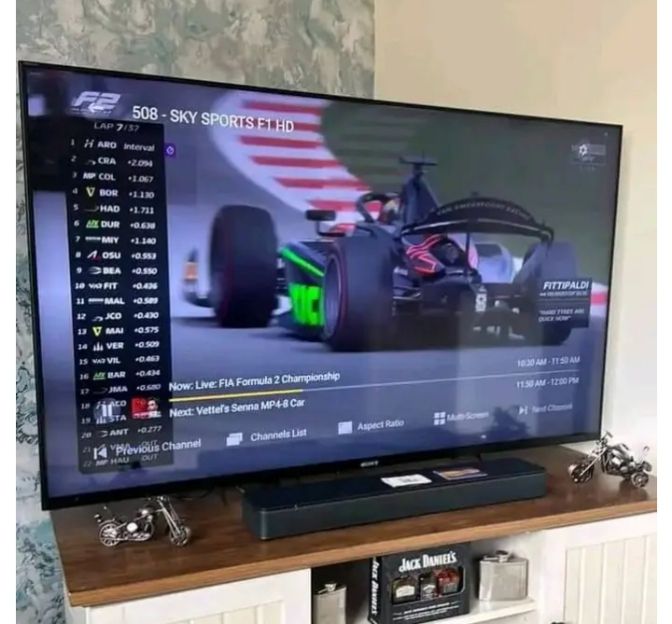
Upgrade Your 4K Streaming Today
Join more than 15,000 happy viewers across Europe who rely on Scandinavian IPTV for their entertainment.
Get Instant Access Now →